
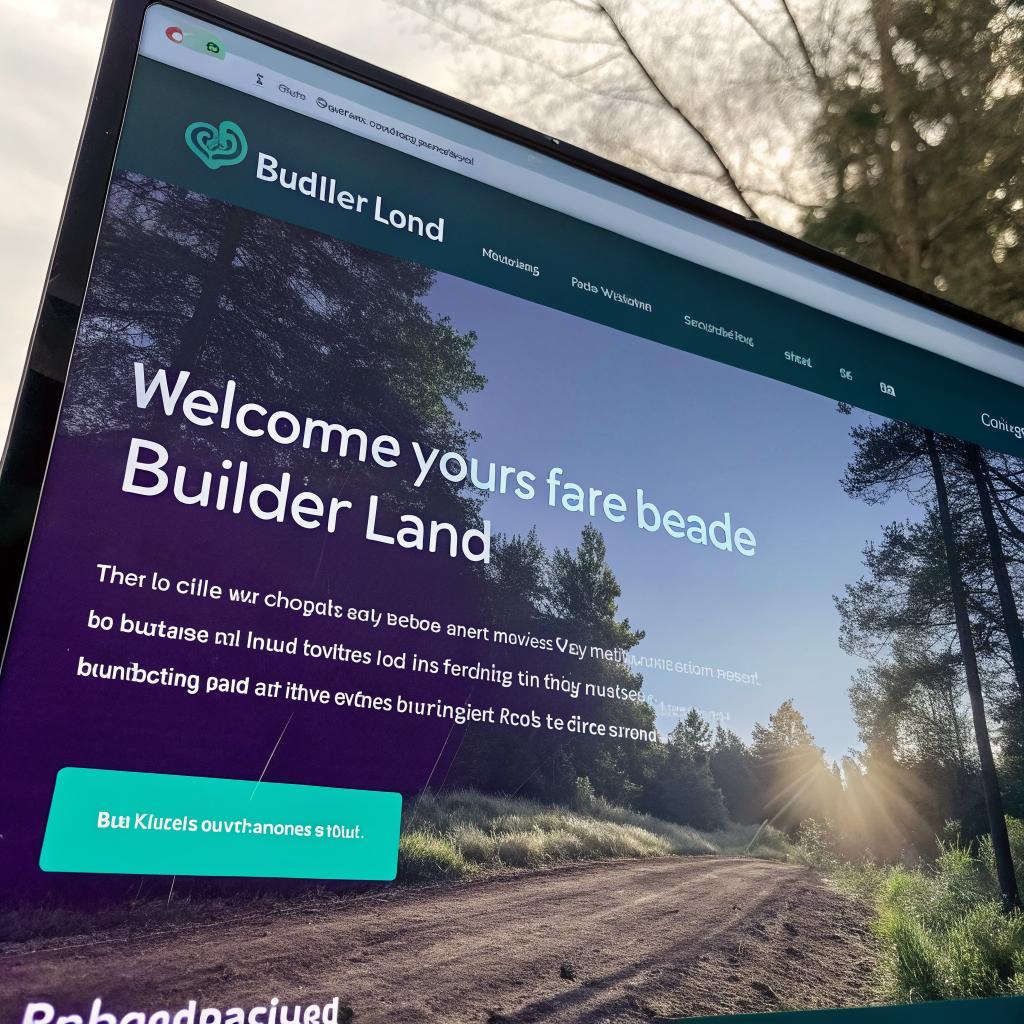
What if I told you that most “builder” websites do not fail because of traffic or design, but because they never make it clear what a real person should do on the site in the first 5 seconds?
The short answer is this: a high converting Builder Land style site is one clear page that shows what you build, where you work, why you are credible, and gives an obvious way to contact you at every scroll depth. If you do only that, and you drive the right people to that Website, your conversions will already be better than a lot of SaaS landing pages.
Now, if you want to go deeper and treat this like a real product (which is what startup people understand well), then you can shape your site like a simple funnel, not a brochure. That is where it gets interesting. Check https://builderland.org/ for inspiration.
What “high converting” really means for a Builder Land style site
For a tech or startup audience, “conversion” usually means signups, trials, demo calls.
For a builder style brand or directory, it is a bit more boring, but very measurable:
- Form submissions from qualified leads
- Phone calls or booked calls
- Quote or project requests
- Clicks to individual builders or service pages, if you list multiple partners
You are not trying to impress other designers. You are trying to:
1. Filter out the wrong people fast
2. Help the right people contact you without friction
3. Give enough proof that they feel safe sending their money and project details
High conversion on a builder style site is not “more traffic”, it is “more right people doing the next clear step”.
If you keep that line in your head, most decisions you make on copy, layout, or features get easier. You stop asking “is this pretty?” and start asking “does this help someone move one step closer to a project?”
Step 1: Treat your website like a product, not a flyer
Startup people are usually good at this, but they forget it when they work on something like a builder directory or a local service hub.
Instead of thinking “we need a homepage, an about page, a services page”, try this question:
If this website was an MVP that needed to justify its existence in two weeks, what would it have to make users do?
For a Builder Land type site, I think the answer is simple:
- Help visitors understand if the builders here are relevant to them
- Give them a fast way to match with the right builder or service
- Collect lead data that builders will actually care about
So instead of building 10 pages, you can start with one strong landing page that acts like a funnel.
Here is a simple structure that works well.
| Section | Main goal | Question it answers |
|---|---|---|
| Hero | Qualify and give a single call to action | “Is this for my type of project, in my area, right now?” |
| How it works | Reduce mental effort | “What happens after I click the button?” |
| Proof | Build trust | “Why should I trust these builders?” |
| Filters or categories | Give control | “Can I tailor this to my project type or budget?” |
| FAQ | Handle objections | “What about pricing, timing, and risk?” |
| Contact / lead form | Capture interest while it is hot | “How do I start without feeling locked in?” |
You can build this in Webflow, Next.js, WordPress, whatever you like. The tech stack matters less than the clarity of each section.
Step 2: Nail the hero section so someone understands you in 3 seconds
Your hero is not a slideshow. Not a big abstract banner. It is a very short argument:
1. Who this is for
2. What outcome they get
3. Where you operate
4. What they should do next
If you run a site like Builder Land that connects people with builders, your hero might be something like:
“Find pre-vetted builders for residential projects in [City/Region]. Tell us about your project and we will match you with 3 builders who actually want the job.”
Under that, you have one primary button:
- “Get matched with builders”
And if you really want a secondary option, use something safe:
- “Browse builders”
Some things that hurt conversions here:
- Fancy taglines that say nothing concrete
- Full-screen sliders that hide the call to action half the time
- Video backgrounds that pull attention away from the button
Short text, one main action, no confusion. That is it.
Step 3: Design for real people, not dribbble shots
Design is not only about how the site looks. It is how quickly someone can move from “I think this might help me” to “I will send my details”.
Some parts matter more than others for conversion.
Readable layout and typography
Your users might be:
- On a phone at a job site
- On a couch in the evening, tired from work
- Not native English speakers
Plain, high contrast text wins. Try:
- Body font size at least 16px, often 18px
- Short paragraphs, like this one, not walls of text
- Enough line spacing so the eye can rest
Fancy fonts or tiny gray text might feel “modern” but often reduce reading speed and comfort. That hurts conversions.
Clean navigation
Do not throw 10 menu items in the header. People are not there to explore your company. They are there to solve a building problem.
You can keep header links to something like:
- How it works
- Builders / Services
- About
- Contact / Get matched
And repeat your main call to action in the header as a clear button. When someone scrolls, this button should remain visible.
Mobile first, but not mobile only
A lot of builder traffic is mobile. But serious planning is often done on desktop.
So you should check:
- Does the hero still show the value and a button without scrolling on common phones?
- Are forms short enough to fill out without frustration on touch screens?
- Do phone numbers turn into tap to call links?
You should also look at desktop carefully. That is where people compare quotes, send links to a partner, or forward to a project manager.
Step 4: Be specific about what type of “builder” you are
“Builder” is vague. Are we talking about:
- Residential contractors
- Commercial fit outs
- Kitchen and bath specialists
- Plumbers, electricians, and other trades
- Design build studios
If your site tries to do everything for everyone, your conversion rate will suffer. People want to feel “this is for me”.
For example, if your directory leans toward residential remodels in a city like Bellevue, you might want sections like:
- Kitchen remodeling
- Bathroom upgrades
- Basement and attic conversions
- Whole home renovations
And you write copy that speaks to those projects. The more someone feels you “get” their problem, the more likely they will reach out.
A high converting builder site usually feels narrow on purpose. You are not trying to win every project, just the right projects.
This is very similar to how early stage SaaS products focus on one use case before expanding.
Step 5: Use social proof like a founder uses traction slides
Founders know a slide with “5,000 companies use us” does more work than 20 slides of features.
Your builder site needs its own version of traction.
Some examples:
- Number of projects matched or completed through the site
- Number of vetted builders on the platform
- Average rating from past clients
- Time to get first response from a builder
Simple visual proof works well:
| Proof type | Example | Impact on visitor |
|---|---|---|
| Metric | “732 home projects matched in the last 12 months” | “People like me are using this now” |
| Rating | “Average builder rating: 4.7 / 5” | “Quality seems under control” |
| Logo strip | “Featured in [local press]” | “This is not a random site” |
| Testimonial | “We found our kitchen contractor in 3 days through here.” | “People like me had a good outcome” |
Short quotes with real names and rough locations work. If all reviews sound perfect, users get suspicious. One or two small complaints with a reasonable response can feel more real.
Step 6: Build a form that respects the user
This is where many builder style sites lose the lead. They either ask for too much or too little.
If you ask for too little, builders get junk leads they cannot qualify. They stop taking your referrals seriously.
If you ask for too much, the user gives up halfway through the form.
A balanced approach is to group questions into clear steps.
Step 1: Basic contact
- Name
- Phone (optional but recommended if your builders like to call)
Step 2: Project basics
- Type of project (kitchen, whole home, commercial, etc.)
- Location (city / suburb)
- Rough time frame (this month, 3 months, “just researching”)
Step 3: Budget and details
Here you can lose people if you are not careful. Many do not know their budget, and they fear sharing it.
Try something like:
- Budget range selector with wide brackets
- Optional free text: “Tell us anything that will help match you with the right builder”
One trick that tends to help is to explain why you ask a question in a short sentence under the field.
For example:
- “Budget range, so we do not match you with builders far outside your range.”
And at the end, be clear about what happens next.
After you click “Submit”, we will review your project within one business day and introduce you to up to 3 relevant builders. No fees to you, no obligation.
That one sentence can increase form completion a lot, because it removes uncertainty.
Step 7: Use content to pre-qualify and educate, not to chase SEO only
You might be tempted to create dozens of articles like “10 kitchen trends for 2025” just to get traffic. That is not always a good idea.
Traffic without intent can harm your conversion rate and confuse your analytics. Startup founders know this problem: vanity metrics.
Better content is content that:
- Answers questions real leads ask on calls
- Reduces fear around cost, time, and risk
- Explains how your matching or vetting works
- Helps visitors decide if they are ready to start
Some useful article ideas for a Builder Land style site:
- “How to compare quotes from different builders without going crazy”
- “What a typical kitchen remodel timeline looks like, step by step”
- “Red flags when hiring a contractor for residential work”
- “How our vetting process works and what we check before listing a builder”
Each of those can link back to your main lead form as the “next step”, instead of leaving people at the end of the article with no direction.
Step 8: Think like a marketplace or SaaS founder
If you see Builder Land style sites as “boring local business sites”, you will underbuild them. If you treat them like mini marketplaces, you will design better flows.
Here are some product style questions you can ask:
- What is the first meaningful moment for a user? Is it getting a matched builder, or just seeing photos of finished work?
- Where do most visitors drop off? Can I see that in analytics or a simple funnel tool?
- Are both sides happy? Builders and homeowners both?
A simple example.
If you notice a lot of visitors scroll past the hero and stop at a gallery of projects, but never submit a form, you might try:
- Adding “Get a similar result” buttons under each project, leading to the form with the project type prefilled
- Adding short labels like “Completed in 4 months, budget: mid range” so people can relate
You would do this kind of test on a SaaS product without thinking. The same mindset works here.
Step 9: Make the builder side work quietly in the background
A high converting site for users is useless if builders ignore the leads.
So part of building this site is building processes that keep builders engaged without making them hate you.
Things that matter here:
- Lead quality: avoid spam and fake inquiries by using basic validation and maybe one simple “are you real” check.
- Lead speed: builders should get new lead notifications fast, by email and possibly SMS.
- Clear expectations: builders should know how many leads they can expect, what quality, and how feedback loops work.
If builders feel that:
“Leads from this site are usually serious and worth calling back.”
they will respond faster. That leads to better user experiences, which leads to more leads. It is a loop, not a one sided project.
You do not have to build a huge portal. Even a simple shared spreadsheet plus email rules can work at early stage. Just keep feedback channels open.
Step 10: Track real metrics, not vanity numbers
Since you are on a tech and startup site, you probably care about metrics already. The same thinking applies here, but in a more “offline meets online” way.
Here is a simple metric table you can keep:
| Metric | What you measure | Why it matters |
|---|---|---|
| Visitors per month | Total site visits | Basic volume check, but not success by itself |
| Lead form start rate | Visitors who click “Get matched” or similar | Shows if hero and offer are clear |
| Lead form completion rate | Leads completed divided by leads started | Shows if forms are too long or confusing |
| Qualified lead rate | Leads builders consider “worth calling” | Shows intake quality and your filters |
| Builder response time | Time from lead to first builder reply | Strong driver of user satisfaction |
| Project win rate | Leads that turn into actual jobs | Harder to track, but great for revenue planning |
You might not get perfect data on project win rates, but you can collect simple feedback from builders each month: “How many jobs came from us this month?” It is rough data, but better than guessing.
Step 11: SEO that actually serves conversions
You mentioned SEO, which can help if you do it with a clear head. But going after random traffic will cause more harm than good.
Here is a more grounded approach:
Focus on intent, not volume
Searchers who type “cheap kitchen ideas” are not the same as those who type “kitchen contractor near me” or “licensed builder [city]”.
Your primary content and pages should go after the people who are:
- Searching for builders or remodelers now
- Comparing quotes or trying to understand pricing
- Checking if your type of service is right for them
You can still write lighter content, but those pieces should point back to your core flow.
Local targeting
For builder related work, most leads are local or regional. That means:
- Clear mention of cities and regions you serve
- Project examples labeled with neighborhoods or suburbs
- Supporting pages for major metro areas, if you cover more than one
And yes, some on page basics:
- Title tags that say something like “Find vetted builders in [City]”
- Meta descriptions that describe the core benefit honestly
Do not obsess over every tiny ranking trick. The main page needs to be useful first.
Step 12: Content and UX choices that actually push conversions up
Sometimes small changes can lift conversions in a way that feels almost strange.
Here are some you can test.
Use “quiet” microcopy
Many sites shout. You do not need to. Calm language often works better for high trust decisions like building.
Compare these two lines:
- “Act now to secure your free quote!”
- “Tell us about your project. We will connect you with up to 3 builders for free quotes.”
The second one is less “salesy”, more specific, and usually converts better with serious users.
Add project timelines and price ranges
Builders often hate sharing price ranges publicly, but users love some sense of scale.
You can show things like:
- “Typical small kitchen remodel: 6 to 10 weeks”
- “Most projects on this site fall between [X] and [Y] for [type]”
You can frame this as ranges, not exact quotes, so builders stay comfortable.
Reduce options at key moments
At the point when someone is about to start a form or click “Call”, do not give them a list of 10 other links.
A simple rule: near your primary call to action, keep competing links quiet or removed. Let the user either act or scroll back, not slip sideways into unrelated pages.
Step 13: Mistakes I see a lot on builder style sites
You asked me to push back if the approach is wrong, so let me be clear. Many builder focused sites and startups repeat the same patterns.
Here are some common problems that hurt conversion.
1. Overcomplicating the matching logic
I have seen projects spend months on complex matching algorithms, while the site itself barely converts visitors to leads. Do not do that at first.
A simple form plus manual matching can give you much more insight. If manual matching does not work, an algorithm will not fix it.
2. Hiding contact details
Some sites hide phone numbers or emails to force users through a form. That might help tracking, but can hurt conversion. Many serious clients like to call.
You can track phone calls with unique numbers or ask builders “where did this lead hear about you” on intake. Forcing everyone into a form is usually too rigid.
3. Ignoring the builder brand
If you list many builders, show their logos, faces, and projects. White label pages where every builder looks the same reduce trust.
People pick builders partly on gut feel. Let that happen.
4. Writing for Google instead of humans
I still see long pages stuffed with awkward phrases, just to rank. People can tell. They skim, get tired, and leave.
Write like a person first. Then adjust headings and structure a bit so search engines can read your page. Not the other way around.
Step 14: A simple blueprint you can follow
If you want something you can act on this month, not a big theory, here is a rough sequence.
Week 1: Clarity and structure
- Define your main user: who they are, what project they bring
- Write a simple hero statement with one clear call to action
- Sketch your landing page sections on paper or in a basic tool
Week 2: Build the core page
- Build the hero, how it works, and proof sections
- Create a short but complete lead form with steps
- Set up basic tracking for clicks and form submissions
Week 3: Bring in real builders and users
- Invite a small group of builders and ask them to review the form
- Adjust questions so builders get what they need, without scaring users
- Ask 3 to 5 potential users to go through the page while you watch
You will learn more from watching 5 people struggle or succeed on your page than from 50 “best practice” articles, including this one.
Week 4: Fix the obvious leaks
- If many people bounce at the hero, test a clearer headline
- If they start but do not finish the form, remove or move fields
- If builders ignore leads, talk to them and adjust your qualification
After this first month, you will already have something far more real than a typical “coming soon” site.
Common questions about building a high converting Builder Land style site
Q: Do I need a perfect design before launching?
No. You need a page where:
- A stranger can understand what you offer in 5 seconds
- They see how to start
- They trust you enough to share basic details
You can improve visuals later. If you wait for perfect, you delay the real feedback you need.
Q: Should I build custom or use a template?
If you do not have strong design and dev skills on hand, a clean template is fine. The custom work should go into your copy, your form, and your flow, not into reinventing navigation or layout patterns at the start.
You can rebuild custom once you know what works.
Q: How do I keep builders from getting spammed with bad leads?
You cannot avoid some noise, but you can:
- Ask at least one “seriousness” question, like time frame or budget range
- Limit how many builders get each lead, instead of blasting it to everyone
- Remove or pause low quality traffic sources instead of chasing vanity numbers
Bad leads drain trust on the supply side, which then hurts your conversion on the demand side. So this part is worth some care.
Q: How long until I see good conversion numbers?
If you have some traffic already, you can see changes in conversion numbers within days after adjusting your hero, proof, or forms. If you are starting from zero, the slower part will be finding traffic, not tweaking the site.
A reasonable approach is to treat each month as a mini experiment: one or two changes, then check how they affected leads and builder feedback.
What part of your current builder site feels weakest: clarity, trust, or the actual flow to contact?