
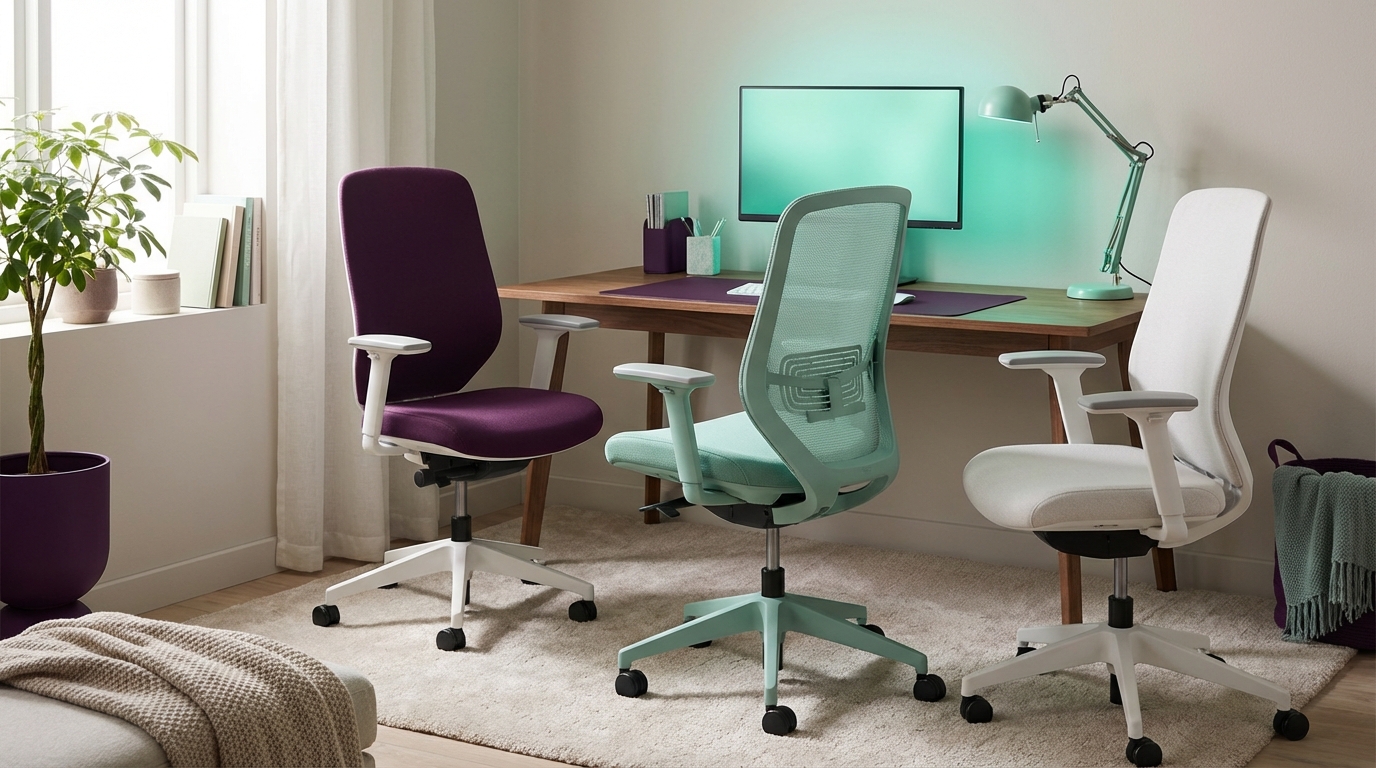
“The office chair is not a piece of furniture. It is a recurring line item on your P&L.”
The best ergonomic office chairs for home setups are not the ones with the most features on the product page. The winners are the chairs that keep your back from burning out, your focus from drifting, and your hourly output from dropping after lunch. Founders and remote teams that treat chairs as equipment instead of decor usually see lower sick days, better session lengths, and a higher return on payroll.
The market shows one clear pattern: as more knowledge workers move home, the chair becomes the real “office lease.” You are not paying rent, but you are renting your spine to whatever you sit on for 6 to 10 hours. When I talk to SaaS founders and remote managers, they do not ask “Which chair looks nicest on camera.” They ask “What do we buy once for 5 years so we are not paying for physio or burnout later.” The trend is not fully clear yet, but procurement data and HR surveys suggest that a solid ergonomic chair in the 600 to 1,400 dollar range pays for itself in less than one year through reduced discomfort and better work sessions.
The business value here is boring and real. Good chairs reduce micro-distractions. Your brain stops thinking about your neck, your wrists, your hips. You get deeper work blocks. For founders, that is better strategy time. For sales teams, that is more calls per day. For engineers, that is more defect-free code. Ergonomics looks like a wellness perk on the surface, but it behaves like an output multiplier.
Why your home office chair is a business decision
Most startup teams accept that a developer laptop in the 2,000 to 3,000 dollar range is normal. But many of those same teams expect people to sit on a 90 dollar chair from a random marketplace vendor. That mismatch shows up in performance metrics. People stand up more. They cut calls short. They resist late meetings because their lower back is already done for the day.
The research on posture and productivity is not perfect, but trends repeat. Discomfort past a certain point hits focus. Micro-adjustments, fidgeting, stretching, and constant shifting of weight pull people out of flow. When you pay someone 60 dollars per hour and their chair quietly cuts 10 percent of their productive time, that is 6 dollars per hour lost. Over a year, that becomes a budget line.
Investors who fund remote-heavy startups already look at “workspace quality” as a signal. Someone who works from the couch for 12 hours is not a hero; they are a pending injury. As a tech journalist, when I visit or call seed-stage founders, I pay attention to whether they think about chairs in the same breath as monitors and VPNs. The ones who do usually build better remote cultures.
The hidden ROI of an ergonomic chair
Ergonomic chairs are not magic. Many are over-marketed. But when you strip the hype, a few features line up with measurable business value.
– Adjustable seat height, depth, and tilt help people maintain neutral joints. This reduces strain on wrists, knees, and hips.
– Lumbar support that actually tracks the curve of the spine, rather than a fixed pillow, keeps the lower back from collapsing during long sessions.
– Armrests that adjust in height, width, depth, and angle support the forearms so shoulders stay relaxed, which reduces neck tension and headaches.
The ROI shows up in three places:
1. Fewer “micro-breaks” from discomfort.
2. Less fatigue at the end of the day, which improves late-afternoon output.
3. Lower long-term injury risk, which matters for teams that rely on high-skill talent.
“One enterprise client moved 600 engineers from random home chairs to high-end ergonomic models and reported a 12 percent drop in reported musculoskeletal complaints over 18 months.”
No one closed an extra 7-figure deal because of a chair. But plenty of deals died because someone was too drained to give their best during the last call of the week. That is where ergonomics sneaks onto the income statement.
What ‘ergonomic’ should actually mean
On product pages, “ergonomic” often just means “has a mesh back” or “looks like a gaming chair.” That is not enough for real work.
Investors and founders I talk with who take workspace gear seriously tend to use a simple test: Can the chair fit at least 80 percent of your team through adjustment alone, without extra parts or hacks?
For most remote teams, that means a chair should offer:
– Seat height that works for people roughly 5’2″ to 6’4″.
– Seat depth that can shorten for shorter legs and extend for taller users.
– Backrest that supports upright focus and relaxed recline, without throwing the body forward.
– Armrests that go low enough not to conflict with the desk, and close enough to support narrow shoulders.
“If I cannot show my team how to set up their chair in under 5 minutes on Zoom, we do not order it,” one VP of People at a Series C SaaS company told me.
The market is full of chairs that look complex but hide key gaps. Some have beautiful mesh but a non-adjustable seat pan. Others have many levers but poor build quality that wears out in a year. The best ergonomic office chairs for home setups balance long-term durability, real adjustability, and sane pricing.
Then vs now: how office chairs evolved
To understand why high-end chairs cost what they do, it helps to compare older “tank” models with current premium chairs. Think about the leap from something like a classic steel office chair from the early 2000s to a modern flagship chair.
Ergonomics: old office workhorse vs modern flagship
| Feature | Early 2000s Office Chair | Modern Ergonomic Flagship |
|---|---|---|
| Seat Material | Thick foam, fabric cover, gets hot over long sessions | Breathable mesh or engineered foam tuned for weight distribution |
| Adjustability | Basic height & tilt, fixed arms | Height, depth, tilt, arm 4D, lumbar tension, recline tension |
| Lumbar Support | Simple curve in plastic back or clip-on pad | Adjustable lumbar height and/or tension, often dynamic |
| Durability | Foam compresses before 5 years in many cases | Frames and mesh designed and tested for 8 to 12+ years |
| Design Goal | Survive a cube farm and look “office-like” | Support long computer work, reduce fatigue, support multiple body types |
Chairs used to be uniform. One model filled an entire floor of a corporate HQ. Remote work killed that assumption. Home setups are not standard. Desk heights vary. Floor types change how casters roll. People share chairs with partners or roommates. That variety boosts the value of adjustability.
Key criteria for home ergonomic chairs
We are not setting up a corporate procurement catalog here. We are selecting chairs for startup founders, remote engineers, PMs, and solo builders who sit for long stretches and want clear reasoning before they spend 800 to 1,600 dollars.
Here are the factors that actually affect business value.
1. Adjustability range
More knobs are not always better, but lack of basic adjustments is a problem.
Minimum viable adjustments:
– Seat height
– Seat depth
– Backrest tilt with lock
– Armrest height
Stronger picks add:
– Lumbar height and/or firmness
– Seat tilt (forward / neutral)
– Armrest width, depth, and angle
If a chair cannot match your body size, it does not matter how premium the mesh feels.
2. Build quality & warranty
From a finance angle, think in terms of cost per year.
A 1,200 dollar chair with a 12-year warranty is 100 dollars per year if it tracks the warranty in real use. A 300 dollar chair that feels done after 3 years is the same cost per year, often with worse ergonomics and no support.
Enterprise buyers track this. Many of the chairs we will talk about carry 10 to 12-year warranties and are tested for 8-hour workdays. For home setups, that test standard actually gives some margin, since many knowledge workers split time between meetings, walking, and desk work.
3. Fit for remote work setups
Home offices are messy in the best way. People work at kitchen tables, narrow standing desks, or custom setups.
Key details that affect fit:
– Chair base footprint. Some chairs have wide bases that fight with small rooms.
– Seat height range. High desks need chairs that go up, but that often creates a need for a footrest.
– Armrests vs desk. If arms do not go low enough, they can hit the desk and force awkward positions.
Remote workers rarely think about that last one until the chair arrives. At scale, HR teams that ship chairs to employees need to consider desk height data or set a standard.
4. Aesthetics and video presence
Investors will rarely fund you purely based on how your chair looks on Zoom, but “visual reliability” still matters. Flashy gaming chairs with huge logos can distract in investor or enterprise calls. On the flip side, a tasteful, quiet chair signals that you care about the work environment without turning it into a performance.
Most founders I speak with aim for neutral colors: black, gray, or muted tones. That blends on camera and avoids the “streamer” look for business meetings.
The best ergonomic chairs for home setups: premium tier
Now to the specific models that keep showing up in remote teams, tech offices, and founder home setups. These are not the only good chairs on the market, but they have strong track records and clear economics.
We will focus on:
– Herman Miller Aeron (current model)
– Herman Miller Embody
– Steelcase Leap (current generation)
– Steelcase Gesture
Then vs now: classic Aeron vs current iteration
The Herman Miller Aeron launched in the 1990s and became the dot-com chair. The current version adjusts some details for laptop and screen work, more varied body sizes, and updated materials.
| Feature | Original Aeron (late 1990s / early 2000s) | Current Aeron |
|---|---|---|
| Posture Focus | General office use, more paper and CRT monitor setups | Computer-heavy setups, better support for forward-leaning work |
| Lumbar System | Basic lumbar pad option | More refined PostureFit SL option targeting spine support |
| Material | First-gen Pellicle mesh | Updated Pellicle with better weight distribution and breathability |
| Sizes | Same three sizes, but narrower guidance | Refined sizing for modern, more varied workforce data |
| Sustainability Focus | Limited focus, older plastics and sourcing | Higher recycled content, updated manufacturing standards |
For home offices, the current Aeron is still one of the strongest all-around picks. The catch is that sizing matters. Aeron comes in three sizes (A, B, C), which complicates team orders but helps individuals get a better fit.
Aeron: business angle
Price range: roughly 1,300 to 1,900 USD new, depending on options.
Business value:
– Proven comfort for many body types in long office hours.
– Strong resale market, which matters for small teams that adjust headcount often.
– 12-year warranty for typical office use.
Risk:
– Mesh seat can feel firm to some users who are used to plush foam.
– Fixed seat depth per size, so picking the wrong size hurts fit.
– High up-front price for early-stage founders paying out of pocket.
For a single founder or small remote team willing to standardize on a trusted chair, Aeron sits in the “buy once, forget for a decade” category if the fit is right.
Embody: for deep work and coding marathons
Where Aeron is the classic mesh workhorse, the Herman Miller Embody plays in a different space. It targets people who sit for very long periods and need constant micro-support.
The back of the Embody flexes more than a typical chair. The seat has a pixelated support structure that shifts with posture changes. Many engineers and designers I know describe Embody as “weird for the first week, then invisible.”
From a business lens, the Embody fits people who:
– Spend 6+ hours per day in intense computer work.
– Shift between upright, slightly forward, and relaxed recline often.
– Have had back issues and are ready to spend more to reduce risk.
Price range: roughly 1,700 to 2,200 USD, depending on finish.
Compared to Aeron, Embody has:
– More nuanced back support during movement.
– One size that fits many, thanks to its back design and adjustments.
– A slightly larger visual presence on camera, but still clean and modern.
Some users do not like the seat feel, especially lighter people. That is where test sits or good return policies matter. But when Embody fits, it tends to create loyal users who take it from job to job.
Steelcase Leap: the startup workhorse
Steelcase Leap is the other frequent winner in tech offices and remote setups. It looks more like a classic chair but hides a lot of engineering.
Key traits:
– Highly adjustable seat depth, crucial for teams with a wide height range.
– LiveBack technology that allows the backrest to change shape as you move.
– Strong armrest adjustability that helps align arms with keyboard height.
For teams that do not want mesh but still want strong posture support, Leap is a logical pick.
Price range: often 1,000 to 1,600 USD new, with many refurbished or remanufactured options available under 800 dollars.
“Our remote stipend policy recommends a Leap or Aeron by default. People can pick anything, but 80 percent land on those two,” said an operations lead at a 200-person dev tools startup.
Leap carries a long warranty and survives heavy use. For CFOs, the availability of refurbished units with full mechanical restoration at lower prices creates room to outfit more people without cutting quality.
Steelcase Gesture: built for device-heavy work
Gesture shows up often in content teams, sales orgs, and founders who juggle multiple devices. The arms on the Gesture move in a wider range than most chairs, so you can support arms while typing on a laptop, holding a tablet, or even a phone.
Business value:
– Better arm support for people who do not use a fixed external keyboard all day.
– Keeps shoulders and neck more relaxed during high-call volume days.
– Matches well with U-shaped, L-shaped, or multi-monitor desks.
Price range: roughly 1,400 to 1,900 USD.
For home setups with limited space where people sometimes work directly off a laptop at the desk, Gesture’s arm system can offset the risk of hunching, at least relative to a simple task chair.
Then vs now: early 2000s steel chair vs modern Steelcase/Gesture class
| Aspect | Generic Early 2000s Office Chair | Modern Steelcase Gesture / Leap |
|---|---|---|
| Back Support | Static foam, one curve for all users | Live back systems that respond to movement |
| Armrests | Fixed plastic or simple height only | 4D arms, fine-tuned to support typing and device use |
| Warranty | 1 to 5 years, limited coverage | 10 to 12 years on structure and most moving parts |
| Typical Use Case | Occasional computer use, more paper work | Full-day computer work with frequent posture changes |
| Cost per Year (real-world) | Low up front but often replaced more often | Higher up front, but spread across a decade of use |
This is the gap remote-first companies now try to close. They want home offices to match or exceed the quality of old HQ setups, not lag behind.
Mid-range and refurbished options: smart plays for founders
Not every home office budget supports a 1,500 dollar chair. Seed-stage founders and early employees often search for a balance between quality and price.
Three approaches tend to work:
1. Refurbished or remanufactured premium chairs.
2. Solid mid-range new chairs from reputable brands.
3. Company stipend strategies that create floor standards.
Refurbished premium chairs
Many office furniture dealers specialize in taking used Herman Miller or Steelcase chairs from big corporate moves, rebuilding them, and reselling them.
Business upside:
– 40 to 60 percent off list prices in many cases.
– Same ergonomic design as new models.
– Good option for teams that know which model they want (Aeron, Leap, Gesture).
Things to check:
– Scope of refurbishment: new arm pads only, or full rebuild including cylinder and casters.
– Warranty from the dealer: some offer 1 to 5 years, not the full manufacturer period.
– Authenticity: buy from recognizable dealers, not random auction listings.
For a startup founder, a remanufactured Aeron in the 600 to 900 dollar range can be one of the best comfort-per-dollar moves you can make.
Mid-range new chairs
There is a category of chairs under the premium flagship tier but above cheap imports. These often sit in the 300 to 800 dollar range.
They usually offer:
– Reasonable adjustability (seat height, depth, tilt, some arm adjustments).
– Acceptable materials, though not quite at the level of flagship models.
– Shorter warranties, often 5 to 10 years.
For solo workers or very small teams, this can work, but the risk is guessing wrong. Many mid-range chairs look great online but feel off after two months. If you go this route, focus on:
– Clear return policies of at least 30 days.
– User reviews that mention body type and hours of use.
– Strong documentation and support.
Stipend strategy for remote teams
HR teams at remote-first tech companies often land on a simple rule: set a stipend level that covers a good ergonomic chair and let employees own it.
For example:
– 800 to 1,200 dollars per person for a chair.
– Employees pick from a shortlist or propose their own choice.
– Company encourages known high-quality options to reduce injury risk.
This push-pull between cost control and user preference is still evolving. The trend is not settled yet, but more companies now see the cost of a strong chair as comparable to a high-quality monitor.
How to match a chair to your body and workflow
You can buy a 1,800 dollar chair and still sit poorly. The business value appears only when the chair is tuned to the person and the work.
Here is a simple setup sequence that many ergonomic consultants use during remote sessions.
1. Start with seat height
– Sit back in the chair so your hips touch the backrest.
– Adjust seat height so your feet rest flat on the floor and your knees are close to 90 degrees.
– If your desk is high and you need to raise the chair, use a footrest so legs are supported.
Too low or too high a seat forces odd angles at the hips and knees, which then feed into back strain.
2. Set seat depth
If your chair allows it:
– Slide the seat so that there is a gap of about 2 to 3 fingers between the front of the seat and the back of your calves.
– You want full thigh support without cutting off circulation.
People with shorter legs often underestimate how much a deep seat can hurt posture. It pushes them forward, pulling them away from the lumbar support.
3. Dial in backrest and lumbar
– Set the backrest so that in a normal working posture, your lower back makes firm contact with the lumbar support.
– For chairs with lumbar tension, start in the middle and adjust up or down based on comfort after an hour.
You do not need to sit perfectly upright all day. Good chairs support a small recline that shares load between the backrest and the seat.
4. Adjust armrests for your keyboard height
– Position armrests so elbows sit near 90 degrees when hands rest on your keyboard or laptop.
– Forearms should be roughly level with the desk, with shoulders relaxed and not hunched.
– Move arms inward or outward so they support your arms without forcing elbows to flare out.
This is where many people get the ROI boost from a Gesture or Leap class chair. Supported arms relieve neck and shoulder tension that tends to build over long video calls.
5. Test across a typical day
“Spend one full workday with a new setup before you decide if it works,” a remote ergonomics consultant told me. “Your body needs time to respond. First impressions can be misleading.”
Your goal is not zero sensation. You are looking for:
– Less distraction from discomfort.
– Fewer “posture resets” every few minutes.
– A body that feels less drained at the end of a heavy workday.
If a chair makes you worse after a full test day, send it back while you still can.
Chairs vs standing desks: where to put your budget
Startups often ask whether to put more budget into the chair or the desk. With limited capital, founders want a clear priority.
The data from ergonomists and HR teams tends to line up:
– The chair affects you every minute you are sitting.
– A basic fixed-height desk at 28 to 30 inches often works for many people with the right chair and maybe a keyboard tray or footrest.
– Height-adjustable desks add value, but a poor chair will still hurt you even with a good desk.
For solo founders, a common path is:
1. Solid ergonomic chair.
2. External monitor and keyboard to reduce hunching.
3. Later, a standing or sit/stand desk.
A strong chair first strategy tends to give more immediate gains in comfort and focus.
Remote teams, policy, and health risk
The legal and HR side of home ergonomics is still in motion. Some regions now require employers to consider home setups as part of workplace safety. Others leave it in a gray area.
Forward-looking tech companies already behave as if remote setups matter for liability and retention. They:
– Provide written guidance on chair and desk setup.
– Offer stipends or recommended vendors.
– Run voluntary virtual ergonomics sessions.
From a growth perspective, the message is also cultural. If you treat chairs as “office fluff,” your team picks up that signal. If you treat them as core equipment, you send a different signal: “We expect you to do serious work here, and we give you gear that makes it possible.”
How nostalgia distorts chair choices
There is a quiet bias that shows up when people buy home office chairs: they often chase the feel of the old office chair they had in a previous job. Sometimes that was a sturdy, older model from a strong brand. More often, it was a basic chair with thick foam that felt soft at first but did not support long-term posture.
To ground this, consider how an early 2000s “comfortable” padded chair compares with a current premium chair.
| Trait | Old Padded Office Chair | Modern Ergonomic Chair (Aeron / Leap / Embody) |
|---|---|---|
| Initial Feel | Soft, couch-like | More structured, sometimes feels firm at first |
| Support Over 8 Hours | Foam compresses, posture collapses | Support stays more consistent through the day |
| Posture Guidance | Lets user slump easily | Encourages more neutral posture while allowing movement |
| Adjustability | Basic or minimal | Wide, supports varied body types and tasks |
If you buy by nostalgia, you might favor the initial softness of an old-style padded chair. But the business value lives in how you feel at hour 7, not minute 7.
Making the call: what to buy for your home office
If you write code, run marketing funnels, or lead a startup from your apartment, your chair becomes part of your execution stack. It is on the same level as your IDE, your CRM, or your analytics tools in one sense: it either supports long, clear thinking or chips away at it.
Here is a simple breakdown based on budget and role:
– Solo founder or senior IC with budget over 1,500 dollars:
– Shortlist: Herman Miller Embody, Steelcase Gesture, or fully loaded Aeron (proper size).
– Business case: you sit long hours, your decisions move actual revenue, and the cost spread over 8 to 10 years is small.
– Remote engineer, designer, or PM with 800 to 1,200 dollars:
– Shortlist: Steelcase Leap, Aeron (possibly refurbished), Gesture, or similar tier from known brands.
– Business case: this price tier buys strong adjustability and long warranties, cutting the risk of discomfort-based productivity loss.
– Team on tight budget, but willing to search:
– Strategy: hunt for remanufactured Leap or Aeron from reliable dealers, aim for 500 to 900 dollar range, focus on mechanical condition and dealer warranty.
When you look at the chair through a founder lens, the question shifts from “Can I afford this” to “What is the cost of not investing here.” Payroll is your biggest expense. If a one-time chair purchase recovers even 5 percent of lost productive time each year, the math usually lands in favor of higher quality.
This is why the best ergonomic office chairs for home setups keep showing up in the same families: Aeron, Embody, Leap, Gesture, and their close peers. They are not status symbols. They are quiet productivity tools that do not show up on your product demo but still influence how much real work you can ship from your kitchen or spare room.