
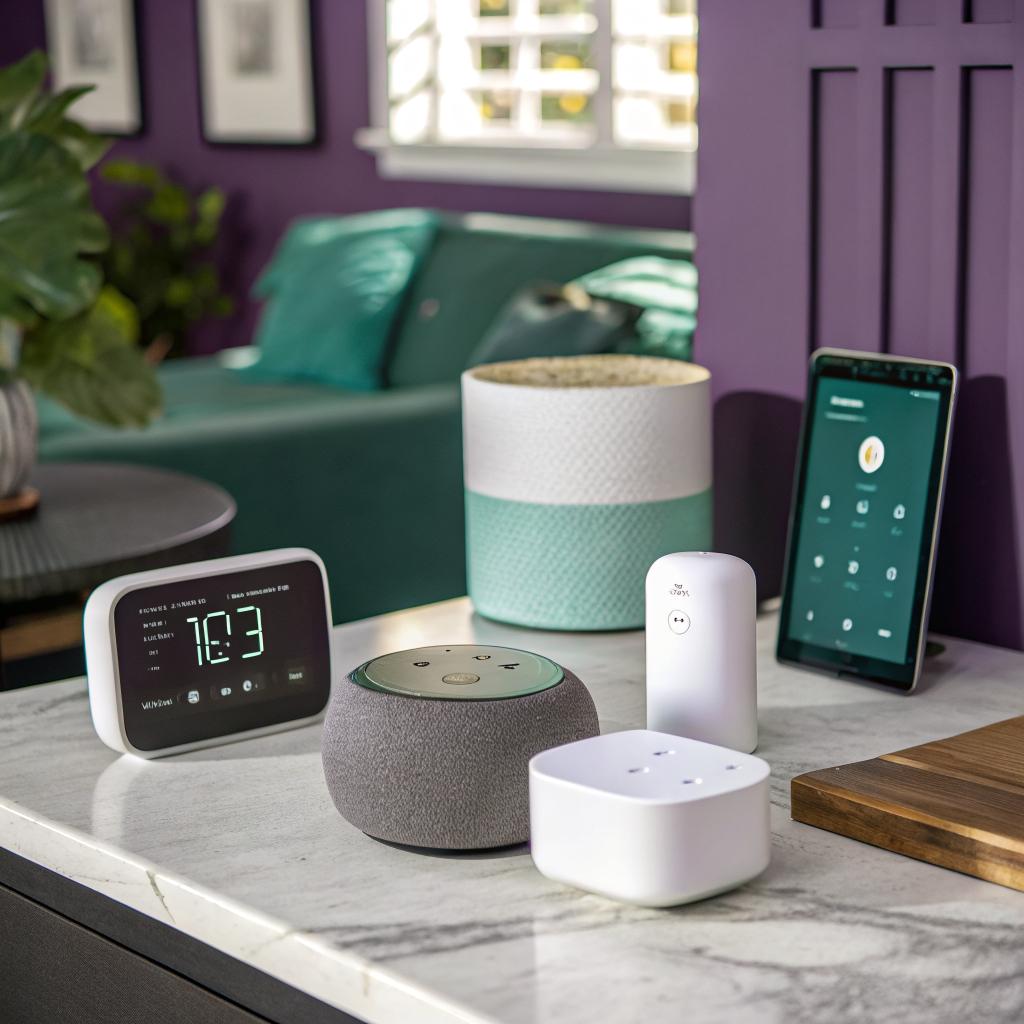
What if I told you the smartest thing you can do for your home tech is not to buy more gadgets, but to talk to your interior designer first?
That is basically what happens when people work with Toscani Interior Services. They do the layouts, surfaces, and lighting with technology in mind from day one, so your devices feel built in instead of glued on later. The short answer is this: when design and technology are planned together, your smart home becomes quieter, safer, easier to use, and easier to upgrade. You spend less on mistakes, you stop fighting cables and awkward outlets, and you get a home that feels intentional, not like a demo room.
Why tech people should care about interior design
If you read tech and startup content, you are probably comfortable with tools, platforms, roadmaps, that kind of thing. Home projects usually do not work that way. They drift. A contractor adds an outlet here, an electrician switches a light there, someone suggests an extra TV, and suddenly you have a mess.
Interior designers who think about tech change that. They plan rooms with:
- Power where gadgets will actually live
- Lighting that works with smart controls and sensors
- Storage that hides hubs, routers, and cables
- Materials that work with audio and video, not against them
It sounds simple, but almost no one does it carefully unless someone insists.
A smart home is not the sum of devices you buy. It is the result of how your space, wiring, and habits all fit together.
Toscani Interior Services leans into that idea. They are not a gadget shop. They are an interior service that treats tech as part of the furniture, the walls, and the daily flow of the home. That is what makes their projects feel smarter, even when the tech stack is fairly normal.
Designing rooms around behavior, not just devices
Many tech people start with product specs.
How many lumens.
What resolution.
What wattage.
What protocol.
Designers like Toscani tend to start with simple questions:
- Where do you stand when you cook?
- Which side of the bed do you use most?
- Do you scroll on your phone in the bathroom? Be honest.
- Where do you drop your bag and keys when you walk in?
- Who wakes up first?
Once they hear those answers, they place controls, sensors, and power where your behavior already is, instead of forcing you to adapt to the device.
I remember walking into a renovated primary bathroom a friend showed me. Nice tile, clean lines, all that. But what stuck with me was the little recessed shelf next to the tub with a discreet outlet and a smart speaker hidden inside. No cable mess, no weird stand. Just a normal place where someone might listen to a podcast in the bath. It looked like it had always been part of the room.
That is the difference. They design for human habits first, then slide the tech in quietly.
Why this matters for home tech performance
When rooms are planned around actual use, a few things happen:
| Design choice | Tech benefit |
|---|---|
| Correct outlet height near counters and desks | Less cable strain, safer charging, fewer adapters left hanging |
| Lighting zones mapped to tasks | Smarter automation scenes that match real routines |
| Router and hub space planned centrally | More stable Wi-Fi coverage, fewer dead zones |
| Materials selected with acoustics in mind | Better audio quality for calls, speakers, and home theater |
| Hidden conduits and cable paths | Easier device swaps and upgrades without opening walls again |
You still buy the tech, of course. But you avoid the common pattern of expensive devices in a poorly prepared space.
Smart bathrooms as quiet tech labs
Bathrooms are a strange testing ground for tech. You have water, steam, power, privacy, and usually not enough square footage. If you are a tech-minded person, this is where tiny design decisions can matter a lot.
Toscani projects in places like Scottsdale show a few patterns that stand out.
Lighting that respects your sleep and your eyes
There is a big difference between a bright vanity light and smart lighting that changes through the day.
For example:
- Soft, warm lights for late-night trips so you do not wake up fully
- Brighter, neutral lighting around the mirror for shaving or makeup
- Accent lights in niches or under cabinets that double as night lights
When this is integrated with your smart system, you can build routines like:
- “Morning”: lights on bright by 6:30 am, vent fan on medium
- “Night”: only low under-cabinet strip lights at 20 percent brightness
This is not just a mood thing. It changes how much blue light you see at odd hours and how safe the room feels for kids or older adults moving around at night.
The smartest bathroom lighting often feels boring in the best way: it works the way you expect, every time, without drama.
Power, outlets, and the cable problem
Most bathrooms still have two outlets jammed near the sink. Then people add more gear:
- Electric toothbrushes
- Clippers
- Hair dryers and straighteners
- Smart mirrors
- Smart scales
If no one plans for this, you get a tangle of cords all fighting for the same spot.
What design-led remodels do instead:
| Design feature | Effect on tech |
|---|---|
| Outlets inside drawers or cabinets | Toothbrushes and shavers charge out of sight, counters stay clear |
| Dedicated circuit for a smart mirror or towel warmer | No overload, fewer tripped breakers, more stable devices |
| GFCI outlets placed near realistic use points | Safer plug-in smart devices and better cable reach |
You could argue this is not very “techy.” It is just planning. But that is exactly the point. Smart design prevents future tech problems.
Sensors, privacy, and comfort
Bathrooms might be where smart sensors feel the most personal, so they need more thought.
You can have:
- Occupancy sensors that trigger fans or lights
- Humidity sensors that adjust ventilation
- Floor heating controlled by smart thermostats
The risk is over-automation. Lights turning off while someone is in the shower. Or sensors that act weird because of mirrors and steam.
This is where an interior team that understands sight lines, door swings, and glass placement can make a big difference. They can place sensors where they “see” enough movement without creating awkward privacy issues.
I saw one setup where the motion sensor was inside the bathroom, but the designer added a tiny delay on shutoff and gave the client a simple manual switch override next to the mirror. It sounds trivial, but those details keep tech from becoming annoying.
If a guest can walk into your bathroom and understand the lighting and fan controls within 5 seconds, your smart setup is doing its job.
Smarter kitchens: where tech and layout live or die
The kitchen is usually the most expensive room to remodel. It is also where many gadgets slowly gather: smart speakers, screens, smart plugs, connected fridges, smart ovens, water filters, all of it.
An interior approach that looks ahead a bit can prevent three common problems.
Wi-Fi and signal planning
Kitchens are often wrapped in dense materials: tile, stone, appliances full of metal. That can be rough on wireless signals.
If the design team plans a small, hidden niche or cabinet for a Wi-Fi access point in or near the kitchen, you get:
- More stable connections for smart speakers and screens
- Better performance for video calls from the kitchen table
- Fewer odd dropouts when streaming recipes or shows
This is the kind of boring detail that tech people later wish they had thought about when they are standing in a dead zone trying to load a recipe.
Counter space vs device space
Smart home gear has a way of eating counter space. One thing interior designers do fairly well is classify surfaces.
| Surface type | Main use | Tech impact |
|---|---|---|
| Primary worktop | Food prep | Keep mostly clear of permanent devices |
| Secondary counter zone | Coffee, toaster, small appliances | Good place for smart displays or speakers |
| Drop zone near entry | Keys, mail, charging | Ideal for charging pads, small hubs |
By designating zones up front, Toscani-type projects can embed power strips, USB outlets, and cable routing in the right places and keep the core workspace free.
Lighting that supports cameras and screens
If you ever have video calls from a kitchen table, you know how overhead-only lights can create harsh shadows. Designers who think about tech will plan:
- Side lighting that softens faces on camera
- Under-cabinet lighting that makes recipes easier to read
- Dimmer controls that avoid screen glare on tablets or laptops
You might not care about photography, but you probably care if you look tired and shadowed in every call. Small lighting choices affect that more than any laptop webcam upgrade.
Living rooms that age well with new devices
Smart TVs, soundbars, consoles, VR headsets, streaming boxes. The living room has become the default gadget room. The problem is that the technology updates faster than the walls.
A tech-aware interior approach accepts that. Instead of building around one TV size or one brand of sound system, it creates scaffolding for change.
Thinking in paths instead of products
When Toscani plans a living room, they do not know what TV you will own in eight years. No one does. So they plan cable paths and mounting surfaces rather than hard-coded product bays.
That looks like:
- Conduit channels inside walls for HDMI, power, and Ethernet
- Walls reinforced for a range of TV sizes and brackets
- Media cabinets with ventilation and removable backs
If you later upgrade from a compact soundbar to a more serious sound system, you can pull new cables without tearing up the wall. You can treat your home somewhat like a modular rig.
Audio is where design and tech often clash
Good sound often wants soft surfaces and deliberate speaker placement. Minimalist interiors often remove rugs, curtains, and soft chairs that help with acoustics. There is a tension there.
A design-first but tech-aware team might:
- Choose fabrics and rugs that quietly absorb echo without feeling heavy
- Plan wall panels that hide acoustic treatment behind art
- Place outlets and cable routes at planned speaker locations
Is it perfect? Not always. But it lands in a better middle ground where the room sounds good enough for movies and music without looking like a recording studio.
Home offices for people who actually work from home
This is where the overlap between tech culture and interior design is the most obvious. Many of us now work from home at least part of the week, and the home office has gone from “spare room with a desk” to something closer to a personal control center.
Camera and background as part of the design
If you are on calls often, your background is not just decor. It affects how people see you. Some Toscani-like setups factor this in from the start.
Things they think about:
- Where your chair faces relative to a window
- How backlighting might turn you into a silhouette
- What wall sits behind you on camera
They then work that into:
- Paint colors and art that look calm on camera
- Shelves or storage that look neat, even when partially full
- Lighting angles that keep your face clear without glare on glasses
You can probably hack some of this yourself with a ring light and a green screen. But when the room itself helps, your tech setup can be simpler.
Power, cable management, and future gear
Home offices tend to grow equipment over time. Maybe you start with a laptop. Then you add:
- Large monitor
- Second monitor
- Microphone
- Docking station
- Printer or scanner
Design that anticipates that can offer:
| Feature | Long-term benefit |
|---|---|
| Desk with hidden cable channels | Less visual clutter, easier cleaning, safer for kids and pets |
| Multiple outlets at desk height | Fewer adapters on the floor, fewer tripping hazards |
| Ethernet jacks and spare power near shelves | Room for future NAS, hubs, or extra gear |
If you treat your home office more like a small studio than a temporary workspace, you will probably enjoy your workday more and fight your equipment less.
How this mindset mirrors startup thinking
There is a quiet connection here to how many startups build products.
You define the user journey.
You identify key interactions.
You plan for version one, but you leave space for version two.
Homes benefit from the same approach.
Toscani Interior Services tends to think in:
- Flows instead of single interactions
- Rooms that can adapt instead of one-time builds
- Hidden systems that support future features
This is not always perfect. Sometimes a client wants a very specific niche for a device that will probably be obsolete in a few years. Sometimes people change their mind halfway through a project. But the underlying mindset is familiar to anyone who has shipped software: build for change, not just for launch day.
Budget and ROI without the buzzwords
Does bringing design and tech together cost more? Yes, at first. You are paying for more planning and usually a bit more wiring and structure.
Where you save:
- Fewer mistakes that require opening walls again
- Less spending on “fix” devices, like extra smart plugs and extenders
- Less frustration that leads to replacing hardware early
Typical “ROI” is hard to measure exactly, but you do see small, clear benefits:
| Choice | Short-term cost | Medium-term effect |
|---|---|---|
| Wiring Ethernet to key rooms | Higher upfront cost | Better streaming, gaming, and work stability for years |
| Planning conduit paths in walls | Extra labor in remodel | Lower cost and mess for future tech upgrades |
| Extra outlets in logical locations | Minor wiring increase | Less need for messy extension cords and adapters |
You might disagree on what is worth paying for. Some people care a lot about home theater quality, others do not. Some want every light to be smart, some only want a few. That is fine. The design-first approach supports both; it just removes the friction of bad early decisions.
How to apply Toscani-style thinking, even without a full remodel
Not everyone can gut a bathroom or rebuild a kitchen. You might rent. Or you might just not want that level of disruption. You can still borrow the mindset.
Start with one room and one routine
Pick a room where you feel tech is fighting you.
Maybe:
- Your bathroom is always harshly lit at night
- Your living room has cables everywhere
- Your home office feels cluttered even with good gear
Then pick one daily routine in that room: morning, evening, work, whatever. Map the steps. Where do your feet go? What do your hands touch? When do you reach for a screen?
From there:
- Adjust lighting and power to support that path first
- Move or remove at least one device that is in the wrong place
- Add small organizers or shelves that give tech a clear home
This feels basic, but it reflects how a design-led team would think. Behavior first, tech second.
Hide systems, not function
People often try to hide devices themselves. Sometimes a better approach is to hide the supporting mess and keep the function obvious.
For example:
- Use a small wall-mounted shelf to hold a router, but run cables through a painted cable channel
- Mount a power strip under a desk, not on the floor behind it
- Place smart speakers at ear height on shelves instead of buried behind objects
This keeps the space tidy while still making controls easy to reach.
Small FAQ: does design-led smart tech really matter?
Is this only for people doing full remodels?
No. Full remodels give more freedom, but the thinking carries over. You can still plan light placement, device zones, and cable management in rental spaces or smaller updates. You just work more with movable furniture and surface-mounted solutions instead of opening walls.
What if I just like gadgets and want to buy more?
Nothing wrong with that. But if your space is not planned at all, each new gadget will add a bit more friction. If you spend a weekend rethinking outlet use, cable routing, and storage in the rooms you use most, your next purchases will probably feel more satisfying.
Is an interior-focused approach overkill for small homes or apartments?
If anything, smaller spaces benefit more. In a studio, one bad cable run or one awkwardly placed light switch can affect half the home. Paying attention to layout, storage, and power helps you keep things calm even when the tech stack grows.
Can I do this without hiring a designer like Toscani?
You can apply the ideas yourself, but you will miss some nuance that professionals bring from experience. If you enjoy this sort of thing, you might try sketching your rooms, marking power, light, and device locations, and asking: “If I had no devices yet, where would I want them?” That simple question is where many good design-tech conversations start.