
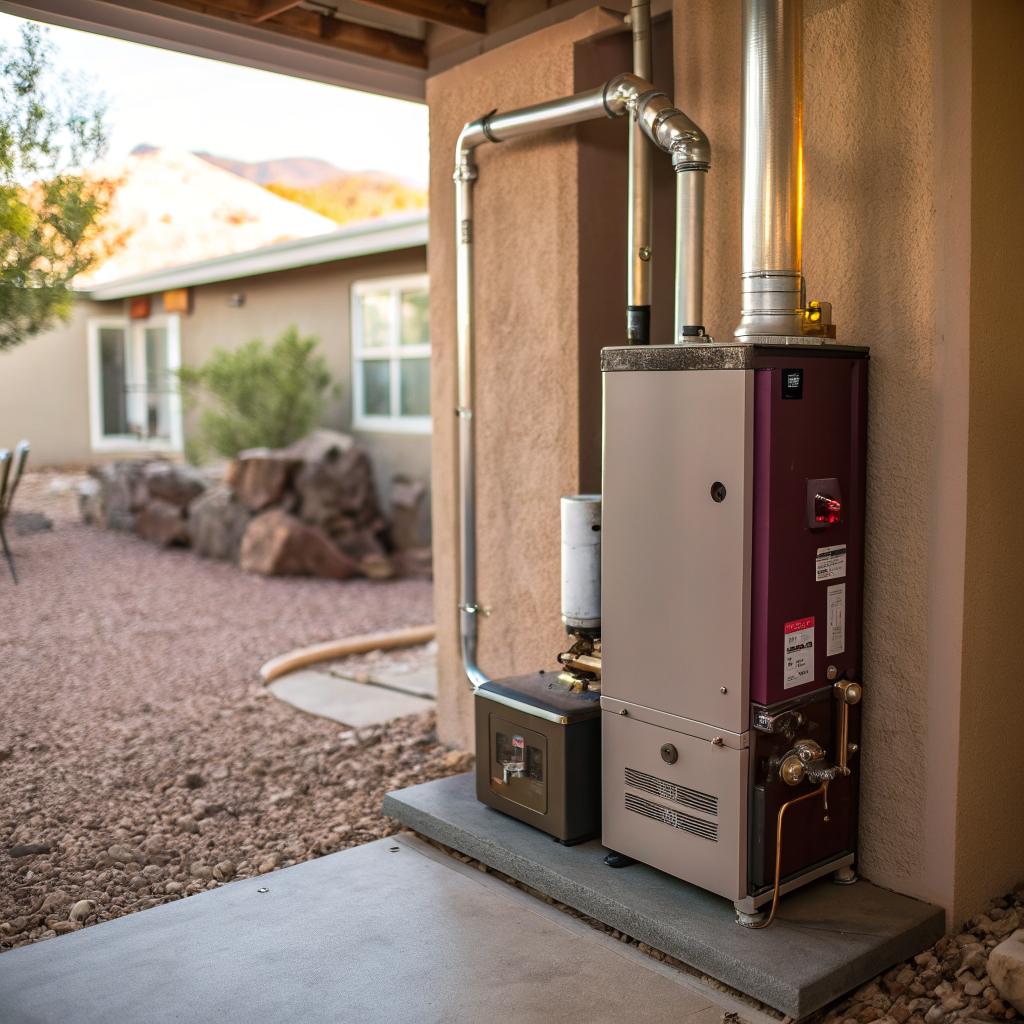
Most furnace problems in a smart home in Albuquerque come down to three things: lack of maintenance, airflow issues, or control system glitches, and you solve most of them by combining a good local HVAC pro, a simple yearly tune up, and a clean separation between your smart gadgets and the furnace safety controls. If your system is short cycling, making strange noises, or your smart thermostat keeps losing control of the heat, you probably need professional help like Albuquerque furnace repair plus a quick audit of your smart home setup to make sure you are not confusing the furnace.
That is the blunt version.
If you want the slightly longer, tech-friendly version, it goes like this: treat your furnace like a server in a small data center. It needs predictable inputs, good airflow, stable power, and clear monitoring. When you layer smart controls on top, you get better comfort and sometimes lower bills, but you also add complexity and new ways things can break.
Let us go through how to keep that balance without turning your house into a weekend debugging project every winter.
How your furnace actually works in a smart home
You probably know the simple story: thermostat calls for heat, furnace turns on, house warms up, done.
The real loop is a bit more like a small control system:
1. A thermostat (smart or not) closes a low-voltage circuit.
2. The furnace control board checks a few safety sensors.
3. The inducer motor runs and proves there is airflow through the vent.
4. The igniter lights the burners.
5. Flame sensors confirm the flame.
6. The blower pushes warm air through ducts.
7. Once target temperature is reached, the thermostat opens the circuit and the furnace shuts off.
Smart tech hooks into step 1 and sometimes into monitoring, not into the safety parts. And that is where a lot of people go wrong: they assume a smart thermostat can “fix” a weak furnace, bad ductwork, or a cracked heat exchanger. It cannot and should not.
Smart controls can only adjust when and how long your furnace runs. They cannot safely override its limits. If your furnace is short cycling, turning itself off, or smelling odd, that is not a software problem.
If you keep that in mind, the choices you make about hardware and automation become much simpler.
Why Albuquerque is its own heating problem
Albuquerque gives you a weird mix of needs: cold desert nights, mild days, dry air, dust, and higher altitude. That affects your furnace more than people think.
Some quick examples:
| Local factor | Effect on furnace | What tech-minded owners should watch |
|---|---|---|
| Cold nights / warm days | Frequent cycling, big swings in runtime | Runtime graphs from smart thermostat, short cycles under 5 minutes |
| Dry, dusty air | Filters clog faster, sensors get dirty | Filter replacement reminders, manual checks every 1 to 2 months |
| High altitude | Burner performance changes, possible derating | Install report from tech, correct orifice and settings |
| Strong sun in some rooms | Hot / cold spots, bad readings near windows | Sensor placement, remote room sensors, zoning strategy |
You cannot solve all of that with code, but you can at least see it in your data and factor it into how you set up your system.
Smart thermostats and furnace control: where tech helps and where it hurts
Smart thermostats are often the first smart device people add. And to be fair, they can help:
- They log temperature and runtime so you see patterns, not guesses.
- They support remote control, which is handy if you travel.
- They allow better schedules than old manual dials.
- They can use occupancy data so you are not heating an empty house.
But they are also the source of a good chunk of “my furnace is broken” calls that are not actually furnace failures.
Common smart thermostat mistakes that look like furnace problems
Let me go through a few where the tech crowd tends to overcomplicate things.
1. Wiring that does not match the furnace
People like to reuse old thermostat wires without checking. So you end up with a smart thermostat that expects a C wire, multi-stage heat, or power stealing tricks on a furnace that was never wired for that.
What you see on your side:
- Furnace clicks but does not start.
- Thermostat keeps rebooting.
- Heat shuts off randomly at night.
A simple multimeter check and a quick look at the furnace control board diagram could prevent hours of guessing.
2. Over-aggressive setbacks and schedules
Because smart thermostats make it easy, some people set large temperature swings. For example, 60°F during the day, 72°F at night. It feels clever on paper, like you are “saving energy” while you are gone.
In a dry, cold climate, that can cause:
- Long recovery times in the evening.
- Short cycling as the furnace overshoots then stops.
- More stress on parts, especially igniters and motors.
Moderate changes like 3 to 5 degrees are usually enough. You do not need extreme swings for most houses.
3. Weird automation rules
If you link your thermostat to presence, security, windows, fans, even your car, you might have rules that conflict. For instance: “turn heat off when any window is open” plus “turn heat on if humidity is low and it is cold” can fight each other.
You might see the furnace short cycle because the smart system keeps sending on/off calls that your furnace does not expect.
Try to keep furnace-related automations boring and predictable. The more triggers you add, the harder it is to tell if a limit switch is tripping or just a misfired rule.
4. Location of the thermostat and sensors
If you mount a sleek touchscreen next to a sunny window or above a supply vent, its readings will be wrong. Smart thermostats are more sensitive because they have smaller sensors and rely on those readings for learning.
Think of where you mount your routers or access points. You do not hide them in metal boxes. Use similar thinking here: central, away from vents, interior wall if you can.
When you can probably fix it yourself vs when to call a pro
You are reading a tech and startup site, so I will assume you are comfortable with a screwdriver and a bit of basic testing. But gas heat is not a hobby project. There is a line where you stop poking and call someone trained.
Safe DIY checks for smart homeowners
Here are things that are reasonable for most people to check without risking damage.
- Thermostat settings
Check that you are actually in “Heat” or “Auto” and the setpoint is higher than the current room temp. It sounds obvious, but you would be surprised. - Wi-Fi and app status
If the thermostat app shows “offline” but the house is warm, the furnace is fine. You only have a network issue. Avoid touching furnace settings in that case. - Filter status
Pull out the filter and look. If it is gray or fuzzy or you cannot see through it at all, replace it. In dusty parts of Albuquerque, monthly checks are not overkill in winter. - Registers and returns
Make sure supply vents are open and not blocked by rugs or furniture. Check return grilles are not packed with dust bunnies. Airflow matters a lot. - Smart rules sanity check
Temporarily disable complex automations. Let the thermostat run on a simple schedule for a day or two to see if the problem goes away.
These tasks respect a simple boundary: you are not opening gas valves, rewiring safety controls, or bypassing switches. You are working at the same level as swapping a router or cleaning a PC case.
Red flags where you should stop and call a technician
Here is where curiosity can turn into a problem.
- You smell gas near the furnace or utility room.
- The furnace starts, then stops after a few seconds, and you see this repeat a lot.
- You hear scraping metal sounds or loud bangs at startup.
- You see water pooling around the furnace cabinet in a high efficiency setup.
- Your carbon monoxide detector alarms, even once.
I know the urge to Google, watch a quick video, and “just try” a fix. In networking or coding, that is fine. With combustion appliances, that is where you step away.
Anything that touches gas valves, burners, venting, or the heat exchanger itself is not a suitable DIY project for a weekend tinkerer. That is where an Albuquerque furnace repair tech earns their fee.
The smart home angle: turning your furnace into a data source
One nice thing about being tech minded is that you can treat your furnace as a piece of infrastructure, not a black box. You can track its behavior and use that to catch issues earlier.
What data you can get without hacking the control board
You do not need to solder or open sealed panels. Instead, start with the tools you already have.
- Smart thermostat history
Most brands give you daily or weekly charts: when the furnace ran, for how long, and sometimes how outdoor temperature changed. - Room sensors
Whether separate temperature sensors or multipurpose ones, they show how different rooms respond to a call for heat. - Smart plugs on small equipment
You can track power draw of things like the condensate pump or a humidifier. If energy usage spikes or drops suddenly, you know something changed. - Manual log
It sounds old fashioned, but noting “furnace short cycling on cold mornings” or “odd noise at 2 AM only” helps the tech later.
Over one or two winters, patterns start to appear that you can use to make better decisions.
Patterns that might signal a furnace problem, not just weather
Here is a simple comparison table to keep in mind.
| Pattern | Possible cause | What to do first |
|---|---|---|
| Very short cycles (2 to 5 minutes), many times per hour | Thermostat placement, oversized furnace, dirty filter, limit switch trips | Check filter, open vents, review smart rules, then call if it continues |
| Cycles get longer and longer over weeks | Ducts or vents blocked, blower trouble, filter badly clogged | Inspect vents and returns, replace filter, listen for blower sounds |
| Furnace fails mostly at night | Thermostat battery or power issue, cold affecting weak components | Check thermostat power, look for error codes, call if repeatable |
| Huge difference between rooms, data shows 5+ degrees difference | Duct layout, closed dampers, undersized returns, insulation gaps | Adjust dampers, check attic for visible issues, ask tech about balancing |
Nothing in that table replaces proper testing, but it makes your later call to a pro more focused.
Annual maintenance, but for people who like checklists
The phrase “annual tune up” often sounds vague, almost like upsell language. If you work in tech, you probably prefer knowing exactly what is being done.
Here is what a solid yearly visit usually includes on a forced air gas furnace:
What a good tech should actually do
- Check and clean the burners so the flame is even and stable.
- Inspect the heat exchanger for obvious cracks or rust.
- Test the flame sensor and clean it if needed.
- Verify the pressure switch operation and hose condition.
- Inspect and test the inducer motor.
- Check blower motor amps and capacitor health.
- Confirm venting is clear and correctly sloped.
- Measure temperature rise between return and supply.
- Check gas pressure and adjust if needed.
- Make sure safety switches work as designed.
If you like logs and records, you can ask for readings: temperature rise, blower amperage, gas pressure. Keep them year to year, the way you might track server performance. A slow drift can point to part wear before failure.
How this pairs with your smart home setup
Maintenance is not only about avoiding breakdowns. It also keeps your smart features accurate.
For instance:
- Clean burners and heat exchanger mean stable temperature curves, which help learning thermostats make better guesses.
- A quiet blower makes it easier for you to notice new sounds quickly.
- Correct temperature rise reduces hot air stratification, so room sensors see less variance.
If your goal is a house you can almost “set and forget,” this is the boring foundation that makes the shiny parts behave.
Repair vs replacement: when your tech brain says “upgrade”
At some point, you will face a choice: keep fixing the old furnace or replace it. Tech people usually lean toward upgrade. Newer gear, better control, cleaner data. But the economics are not always neat.
Questions that matter more than the sticker age
Furnace age gets all the attention, but ask a few more direct questions:
- How often has it failed in the last three winters?
- Are parts getting harder to find or slow to arrive?
- Is it a simple single stage unit or a more complex multi-stage or variable speed model?
- Does your ductwork support a higher efficiency furnace, or would it choke it?
- Is your gas bill noticeably high compared to similar homes?
If you work with product life cycles, think of this as the point where maintenance cost and downtime risk cross.
What a newer furnace actually adds for smart homes
You sometimes see marketing copy promise miracles, but let me keep it grounded. Newer furnaces bring:
- Higher fuel use ratings, so less gas per unit of heat.
- Better fan control, which pairs well with zoning and room sensors.
- More detailed control boards that can offer clearer error codes.
- Quieter operation, which matters if your home office is nearby.
They do not remove the need for maintenance or for sensible automation rules. They just give you a bit more control and a bit more headroom for smart integrations.
If your current unit is over 15 years old, has had several major repairs, and cannot maintain comfort even after maintenance, your tech brain is right to at least run the numbers on replacement.
Furnaces, IAQ, and smart sensors: not just comfort
One area where tech really helps is indoor air quality, especially when heat runs for long stretches. In Albuquerque, air is already dry and often dusty, and that shows up in how people feel in winter.
How your furnace affects air quality
The furnace touches air in three main ways:
- It pushes air through the filter, catching dust and some particles.
- It dries the air as it heats it, which can bother skin and sinuses.
- In high efficiency units, it may tie into ventilation or fresh air supplies.
None of that is about “clean vs dirty flame” in modern, vented furnaces. It is mostly about filtration, humidity, and airflow.
Smart sensors you can add that make sense
Here is where you can lean on your tech side without overcomplicating the core furnace.
- PM2.5 sensor
Measures small particles. If readings spike when heat runs, you might need a better filter or to seal leaky return ducts. - CO detector, interconnected
Not smart in the gadget sense, but critical. You want proper carbon monoxide detection even if the furnace is new. - Thermo-hygrometers in main rooms
Track relative humidity. If it drops below roughly 30 percent and stays there, you might think about a whole-house or room humidifier and link it to runtime. - Smart vents, carefully
These can help with temperature balance, but closing too many can harm the furnace. Use them lightly, and keep most vents open at least partway.
Aim for visibility first, control second. Sensors that tell you “something is off” often pay for themselves faster than gadgets that try to fix it for you.
How to talk to an HVAC tech so your smart setup is a help, not a headache
Sometimes smart homeowners and furnace techs talk past each other. One side speaks in runtime graphs and automation rules. The other in amperage draws and static pressure.
Here is a small way to bridge that.
Things to show your tech from your smart home data
Bring actual data, not just “it feels colder.”
- Screenshots of thermostat runtime during problem times.
- Notes about when issues show up: only at night, only in one zone, only when automations are active.
- List of smart devices that touch the furnace: thermostats, vents, sensors.
- Any error messages or alerts from the thermostat.
Then ask what matters to them. Some techs like extra data. Some do not. That is fine. You just want them to know what signals you have.
Questions worth asking during any repair visit
A short list you can reuse:
- What failed, and is it a wear part or something unusual?
- Is there anything about my smart setup that could have caused or worsened this?
- Would you change any of my thermostat settings for better furnace health?
- If this happens again, what specific behavior or code should I look for?
You will not become a tech by asking, but you will learn enough over a few visits that your decisions get better.
Practical setup patterns for tech-heavy homes in Albuquerque
To pull this together, let me outline a few patterns that seem to work well for smart home owners in a climate like Albuquerque.
Pattern 1: Simple thermostat, rich sensors
If you like reliability over clever schedules:
- Use a basic, proven thermostat with clear manual controls.
- Add plenty of smart room sensors that log temp and humidity.
- Adjust thermostat programming a few times per year based on what you see in the data.
- Keep automations limited to things like alerts if temp drops too low or if humidity is extreme.
You get visibility with fewer moving parts in the control loop.
Pattern 2: Smart thermostat, minimal extra rules
If you already run something like Nest, Ecobee, or a similar product:
- Let the thermostat handle schedules and presence, but avoid stacking extra rules from your hub or voice assistant on top.
- Place the main stat in a fairly average room, then use remote sensors for fine tuning.
- Use your smart platform for monitoring and notifications more than for extra control logic.
Think of it as one brain for the furnace instead of many small ones fighting.
Pattern 3: Power user with central home automation hub
If you already run Home Assistant, Hubitat, or similar, and you cannot resist, at least set some guardrails:
- Keep a hard minimum and maximum setpoint that automations cannot pass.
- Throttle how often automations can change the thermostat, to prevent rapid-fire commands.
- Log every automation that sends heat on/off and review them if problems show up.
- Leave furnace safety features alone. Do not try to reset limit switches or read raw control board data unless you really know what you are doing.
This way, your furnace stays a stable part of the system, not the thing you experiment on.
One last thing: common quick questions from smart homeowners
Q: Can my smart thermostat damage my furnace?
A: In normal use, no. As long as it is wired correctly and you do not bypass safety controls, a smart thermostat only controls when the furnace runs, not how safely it burns. The real risk comes from bad wiring, poor mounting, or automation rules that cause odd cycling.
Q: Is it worth paying more for a “communicating” or proprietary control system?
A: It depends on your priorities. Those systems can give smoother control and more diagnostic info, but they may lock you into one brand and limit how you connect to broader smart home platforms. If you like open systems and flexibility, a standard thermostat interface with a good furnace is often enough.
Q: How often should I really replace my filter in Albuquerque?
A: Do not wait for a calendar rule alone. Check monthly through winter. You may end up changing it every 1 to 3 months depending on pets, dust, and how often the furnace runs. If you are unsure, err on the side of more frequent changes, especially if you see short cycling or weak airflow.
If you had to pick just one change to make before the next cold snap, would you rather tighten up your smart rules, improve your filters and sensor placement, or schedule a proper maintenance visit and get a real baseline for your furnace?