
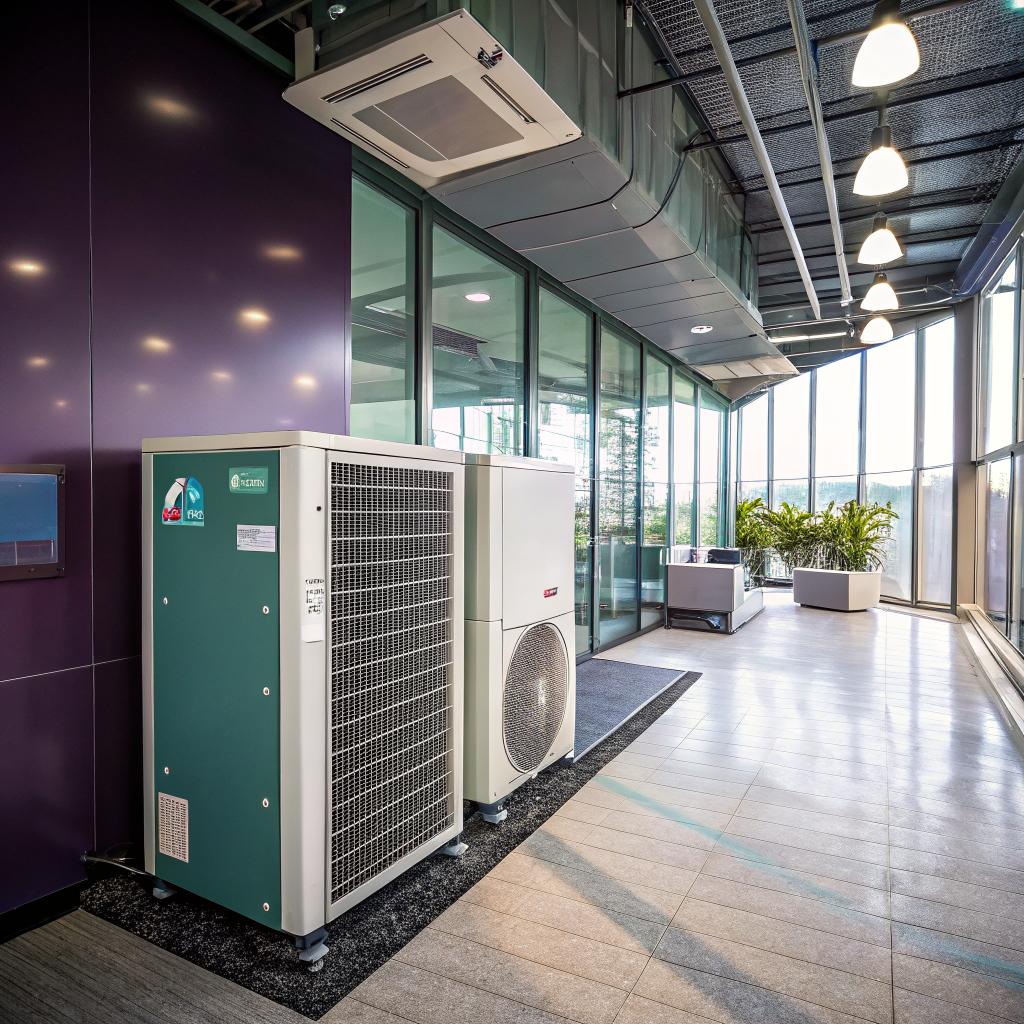
What if I told you that your office thermostat might be one of your highest ROI upgrades in the next 18 months?
That sounds dramatic, but there is decent data behind it. Heating and cooling can eat 30 to 40 percent of a typical small office energy bill. Cut that by even 15 percent with smart controls, and you are freeing up recurring budget that can go straight into product, people, or runway. For a startup, that is not trivial at all. If you run a growing team in Brighton or nearby and want a shortcut, you can Visit Website for Brighton Heating and Cooling service details, but I want to walk through the thinking process first.
The short answer: treat your HVAC the way you treat your infrastructure. Instrument it, automate it, and plan it. Start with smart thermostats and basic zoning, add monitoring, and handle upgrades in small, staged steps instead of waiting for a painful breakdown. That is it. Most of what follows is just how to do that without losing focus on your product or spending all week comparing spec sheets.
Why HVAC should be on a startup founder’s radar
Most founders I talk to spend ages debating laptops or office chairs, yet barely know how their furnace or AC works. I get why. Heating and cooling feels boring. It is also one of those things you only think about when it fails.
But there are a few blunt reasons to think about it earlier:
Heating and cooling is one of the few office costs you can cut with tech, without asking your team to sacrifice comfort.
If you strip this to basics, HVAC hits your startup on three fronts.
1. Runway: recurring energy spend
Every month, you pay for gas or electricity. You probably scan the total and move on. But energy cost is, in a sense, your “burn rate for the building.”
Here is a simple way to look at it:
| Item | Conservative number | Comment |
|---|---|---|
| Monthly office energy bill | $900 | Small startup office, mixed use |
| Share from HVAC | 35% | Common range for commercial spaces |
| HVAC cost per month | $315 | 0.35 × 900 |
| Potential savings with smart controls | 15% to 25% | Based on typical smart thermostat gains |
| Money saved per month | $47 to $79 | 315 × 0.15 to 0.25 |
| Money saved per year | $560 to $950 | Rough annual impact |
Those are not life changing numbers. But they are also not made up. Over a 5 year lease, you could be sitting on several thousand dollars, just from having your system behave slightly smarter.
2. People: comfort, focus, and retention
Everyone knows that one room in the office that is freezing. Or the daily war over thermostat settings. That stuff is not just annoying. It affects real work.
There is research that shows a noticeable drop in performance if an office is too cold or too hot. You can feel it yourself. When the HVAC is fighting you, you type slower, you think slower, meetings are shorter than they should be.
I once spent a summer in a coworking space where the AC was blasting so hard that people brought blankets. No one complained loudly, they just started working from home. The founders of two teams there assumed people “preferred remote work.” Maybe. Or maybe they just preferred not shivering over their keyboards.
Comfort is quiet. You only notice HVAC when it is bad, and by then it is already hurting your work day.
3. Risk: sudden breakdowns at the worst possible time
You do not want your furnace to die the week you are closing your seed round or hosting an investor demo.
Older systems tend to fail under stress. Very hot week, very cold week, power events. If you do not have any monitoring or recent maintenance, those failures feel random. They are not completely random. They usually follow patterns that a technician, or even a smart sensor, could flag earlier.
Thinking about “smart upgrades” is partly about avoiding that kind of surprise.
What “smart” actually means for heating and cooling
Smart gets thrown around too easily. For HVAC in a startup office, I think “smart” should mean three simple things:
- You control it easily, from phone or web.
- It adapts to real use, not a fixed guess.
- You get enough data to plan and avoid nasty surprises.
That is not very glamorous, but it is what actually helps a team.
Smart thermostats: the first low friction upgrade
If your office still uses an old programmable thermostat that no one touches because they are afraid of breaking it, that is your first step.
Modern smart thermostats:
- Let you create schedules on your phone.
- Adjust for holidays, weekends, and ad hoc late nights.
- Provide basic reports on usage.
- Can sometimes talk to occupancy sensors.
You do not need the most expensive model. You just need one that:
- Works with your furnace and AC type.
- Has a simple app that someone on your team actually likes.
- Supports multiple admins, not just one “office manager.”
If you are a very early startup, even one thermostat can help. If your space has multiple zones, you may want one thermostat per zone. It is not always plug and play, but a local contractor can usually tell you quickly if it fits your setup.
If no one on your team knows how to change the office schedule without manual overrides, your HVAC is not really smart at all.
Smart zoning: stop heating empty rooms
Zoning is a fancy word for “control different parts of the office separately.”
If you have:
- Meeting rooms that sit empty half the day
- A server or lab room that needs cooler temps
- A main open area where everyone works
Heating and cooling all of them the same way is almost never ideal.
There are two levels of zoning:
| Type | What it means | Good for |
|---|---|---|
| Basic zoning | Different thermostats for different duct zones | Medium offices, existing central system |
| Room level zoning | Smart vents or separate mini-split units | Meeting rooms, focus rooms, labs |
For a startup, room level zoning often makes sense for one or two areas: a small podcast room, a call booth, or a nook where people always complain.
You do not have to switch the whole building to complex smart vents. Sometimes a small ductless unit in a problem room does the job, while the main system runs in a simpler way.
Energy data and “observability” for your office
Tech founders are used to monitoring for servers. Strangely, we often do not apply the same mentality to the physical space.
You do not need a full building management system to get useful data. Even simple pieces help.
Basic data you should actually care about
There are three types of signals that matter for most young teams:
- Temperature and humidity in key rooms
- Energy use over time, even if it is rough
- System health signals, like frequent short cycles
You can get room data from simple smart sensors that tie into your thermostat or a separate hub. You can get rough energy data from:
- Your utility portal, if they give half decent hourly info
- A cheap energy monitor on your electrical panel, installed by an electrician
This may sound like overkill, but it can reveal some very boring, very useful truths. For example:
- Your AC runs hard from 6 am because someone set a very early preheat years ago.
- Your heat runs on weekends because the schedule was never adjusted when you switched to a 4 day on site week.
- Humidity spikes in the afternoon, which lines up with people feeling sleepy in meetings.
Nothing magical here. Just visibility.
Setting lightweight targets like a startup would
You do not need corporate level ESG dashboards. A simple table in a doc is fine.
For example:
| Metric | Simple target | Why it matters |
|---|---|---|
| Office temp range | 68 to 73°F most of the day | Balance comfort and cost |
| Night setback | 5 to 8°F lower in winter, higher in summer | Cut waste when no one is there |
| Weekend run time | Minimal, only for server or lab rooms | Avoid paying to heat an empty space |
| Emergency calls per year | 0 to 1 | Shows if preventative work is enough |
Keep it simple enough that someone glancing at the numbers once a month can notice a drift.
Planning smart upgrades like a product roadmap
Most startups cannot, and should not, spend a huge amount on HVAC all at once. The trick is to line up small upgrades with natural events: lease signing, growth spurts, seasonal service.
Here is a staged way of looking at it. This is not perfect, but it can help you think more clearly.
Stage 1: quick wins in the first year of a lease
During your first months in a new space, focus on low disruption changes:
- Install one or more smart thermostats.
- Set a clear schedule that reflects when people are actually on site.
- Add simple temperature sensors in at least one meeting room and one far corner.
- Ask whoever services the building to do a basic tune up and filter change.
This stage is cheap and does not distract from your main work too much. You also start to learn how the building “behaves” across a season.
Stage 2: zoning and room comfort for a growing team
Once your team grows past, say, 10 to 15 people and meeting rooms are busy, comfort complaints tend to multiply.
At that point, consider:
- Room level control for at least meeting rooms.
- A separate unit for a server room, if you have one.
- Refined schedules based on real meeting and working patterns.
You can pair this with other office changes you are already planning, like adding phone booths or redoing cabling. It is often cheaper to adjust ducts or power when other work is already open.
Stage 3: system replacement or bigger upgrades
At some point, your furnace or AC will age out. Most units have a life of 15 to 20 years, but real life can be shorter. You can wait for a breakdown, or you can time the replacement when you are less stressed.
Here is where a partner like Brighton Heating and Cooling can help you compare:
- Staying with gas heat vs moving toward electric heat pump systems
- One larger unit vs several smaller ones for better control
- Basic models vs variable speed, higher efficiency ones
I have seen startups overspend here, chasing the “greenest” or fanciest system even when they might move in 2 years. You want a fit that matches your lease timeline and growth plan.
Sometimes, it is more rational to pick a solid mid level unit and invest the rest in your product, especially if your future office location is uncertain.
Integrating HVAC controls with the rest of your tech
This is where the tech startup brain can be helpful, but also where it is easy to get carried away.
Simple integrations that make real sense
Some tools do play nicely with your stack:
- Access control: when no one badges into the office for a whole day, drop the setpoint further.
- Calendar data: if you have a meeting room that books out, you can precondition it before big meetings.
- Chat bots: a basic Slack command to nudge the temp a degree or two can avoid thermostat warfare.
You do not need custom code for most of this. Some smart building tools connect out of the box. If you are very inclined, your team can script against a thermostat API, but that can end up sticky to maintain.
Things that sound cool, but might be a distraction
Here are some ideas that seem interesting but often stall:
- Full custom building dashboards with real time charts that no one checks after a week.
- Complex automations triggered by obscure sensor combos.
- “Gamified” energy saving challenges that everyone forgets in a month.
If your core product is not smart buildings, keeping the building stack boring is often better. Aim for a few small automations that save real time or money, then stop.
Comfort for hybrid work and strange office patterns
Many startups now use some hybrid mix. That complicates HVAC patterns. It also offers some chances to save.
Adapting to irregular occupancy
With hybrid, Tuesday may be your peak, Friday your ghost town. Instead of a fixed weekly schedule, you can:
- Use occupancy sensors in the main area to trigger comfort mode.
- Set a base “away” schedule, then boost on high attendance days.
- Ask whoever organizes office days to glance at the schedule before big onsite weeks.
If your culture includes quarterly “all hands” weeks, you can treat those as special events. Precondition ahead of time, maybe relax setpoints slightly during specific hours, so the system does not struggle all at once.
Dealing with late nights and hackathons
Startups sometimes run late, even overnight. That clashes with hardened schedules.
Two practical steps:
- Make sure at least one founder and one ops person have remote control access.
- Define a simple rule of thumb, like “if more than 5 people will be here past 9 pm, bump comfort mode for those rooms.”
This is one of those things where a 30 second chat at the start avoids two years of tiny annoyances.
Budgeting: real numbers instead of vague guesses
HVAC work has a wide range of pricing. That can feel opaque. I will keep this very rough, but it might anchor your thinking.
Common upgrade cost bands
Here is a rough comparison for a small office in a place like Brighton, Michigan. Treat this as order of magnitude, not a quote.
| Upgrade | Typical cost range | Comment |
|---|---|---|
| Smart thermostat install | $250 to $600 per unit | Hardware plus basic setup |
| Room temperature sensors | $30 to $100 per room | Many options exist |
| Minor zoning adjustments | $800 to $2,500 | Depends on ducts and access |
| Ductless mini split for one room | $2,500 to $5,000 | Great for meeting or server rooms |
| Full furnace replacement | $3,000 to $7,000 | Wide range by size and type |
| Full AC or heat pump replacement | $4,000 to $10,000+ | Depends on capacity and features |
When you frame these costs against your monthly burn and team size, you can decide what actually makes sense. Sometimes a $400 thermostat that saves a couple hundred a year, while also improving comfort, is one of the easiest spending decisions you can make.
Working with HVAC pros without losing control
Founders who live online often feel uneasy dealing with trades. It is a different world. There is more jargon, and labor has its own constraints.
Questions to ask a contractor
You do not need to become an expert. You just need a small set of questions:
- “What are my options at low, mid, and higher price points, and what really changes between them?”
- “Given our office size and usage, where would you start if you were in my place?”
- “What kind of maintenance would this system need over the next 5 years?”
- “If we doubled our team, would this still work, or would we hit limits?”
You are looking less for a perfect technical explanation, more for clarity and honesty. If a pro says “You probably do not need the fanciest option, here is why,” that builds trust.
Balancing your own tinkering with professional work
Developers like to hack on things. Smart thermostats are easy to set up yourself. Room sensors too. That is fine. But drawing a line helps.
Things worth leaving to pros:
- Gas line work and venting adjustments
- High voltage electrical work
- Major duct changes and system sizing
Not just for safety. Also because warranty and local codes can be unforgiving. Saving a bit now can cost you a lot later if something fails under load.
Common mistakes startups make with HVAC
I have to admit, I have taken a few wrong paths here myself. It is easy to get lost between wanting a “smart office” and not wanting to think about air at all.
Here are some patterns I see often.
Buying tech without fixing the basics
You can install the fanciest thermostat available, but if:
- Filters are clogged for months
- Vents are blocked by boxes or furniture
- Doors in a zoned office are always left open
You will not get much benefit. A short maintenance visit to clear these simple issues can sometimes beat a gadget upgrade.
Chasing perfect comfort for everyone
You will not make all 20 people in your office perfectly happy with one temperature. That is fine.
What you can do:
- Keep a reasonable range, not wild swings.
- Offer local fixes, like a fan or small heater, in limited, safe ways.
- Make temperature changes transparent, not mysterious.
Setting the expectation that “we aim for roughly this range, but we cannot tune it for every body” avoids endless debates.
Ignoring the future of your product and team
Some startups anchor on their current headcount and then lock themselves into a system tuned for that. Two years later, with a bigger team, they are stuck.
At minimum, think in these time frames:
- Lease length
- Funding runway
- Expected office-based headcount in 2 to 3 years
Pick upgrades that fit all three. If you might go remote first in a year, that loud but functional AC might be fine for now. If your next raise relies on building a strong in-person hardware lab, comfort and uptime matter more.
Turning HVAC into a quiet strength instead of a headache
Heating and cooling is not going to be your biggest edge as a startup. But it does not need to be a drag either.
If you:
- Give someone basic ownership of the office environment
- Install modest smart controls that fit your actual patterns
- Plan upgrades around clear stages and lease timing
- Use data just enough to notice problems early
You can turn HVAC from “that annoying thing that breaks in winter” into “another system that mostly just works in the background.”
And since you wanted something more concrete, let me end with a simple Q&A that might match the questions in your head.
Common questions founders ask about smart HVAC upgrades
Q: We are a team of 8 in a small office. Is any of this worth doing now?
For a very small team, I would not obsess over big upgrades. Two things usually pay off quickly:
- A smart thermostat with a clear schedule and remote control.
- One or two cheap room sensors, just to know if meeting rooms swing too much.
If your landlord controls everything and will not let you touch it, focus on what you can control: vents, portable fans, and simple habits like keeping doors shut when you run AC hard.
Q: Should we replace our furnace early to be “more efficient”?
Not always. If your current furnace is working fine, and you may move in 2 to 3 years, replacing it early might not pay off. Start with controls and maintenance.
If the unit is very old, unreliable, or if you own the building and plan to stay long term, then early replacement can make sense. That is a case where a local expert walking through your setup, run hours, and energy spend is more useful than any rule of thumb.
Q: What is one step we can take this month without a big project?
Simple answer: assign one person to be “office environment owner” for the next 60 days. Give them access to the thermostat app, utility portal, and a tiny budget.
Ask them to:
- Set and adjust a schedule that reflects when people are there.
- Check a couple of bills for weird patterns.
- Gather comfort feedback at the end of the month.
You might be surprised how far a bit of clear ownership and small tweaks go, even before any hardware upgrades.